 XFiles
SMB · SFTP · WebDAV · iPhone · iPad
Your NAS on iPhone, like a local folder
XFiles opens SMB shares, SFTP servers, WebDAV and FTP right in its folder tree, next to the files on your phone. Copy across two panes, open photos, videos and documents in place, and save to the NAS from any app.
Free with three network locations of any kind. No account, and your files never pass through our servers.
Set up
Add your NAS in a minute
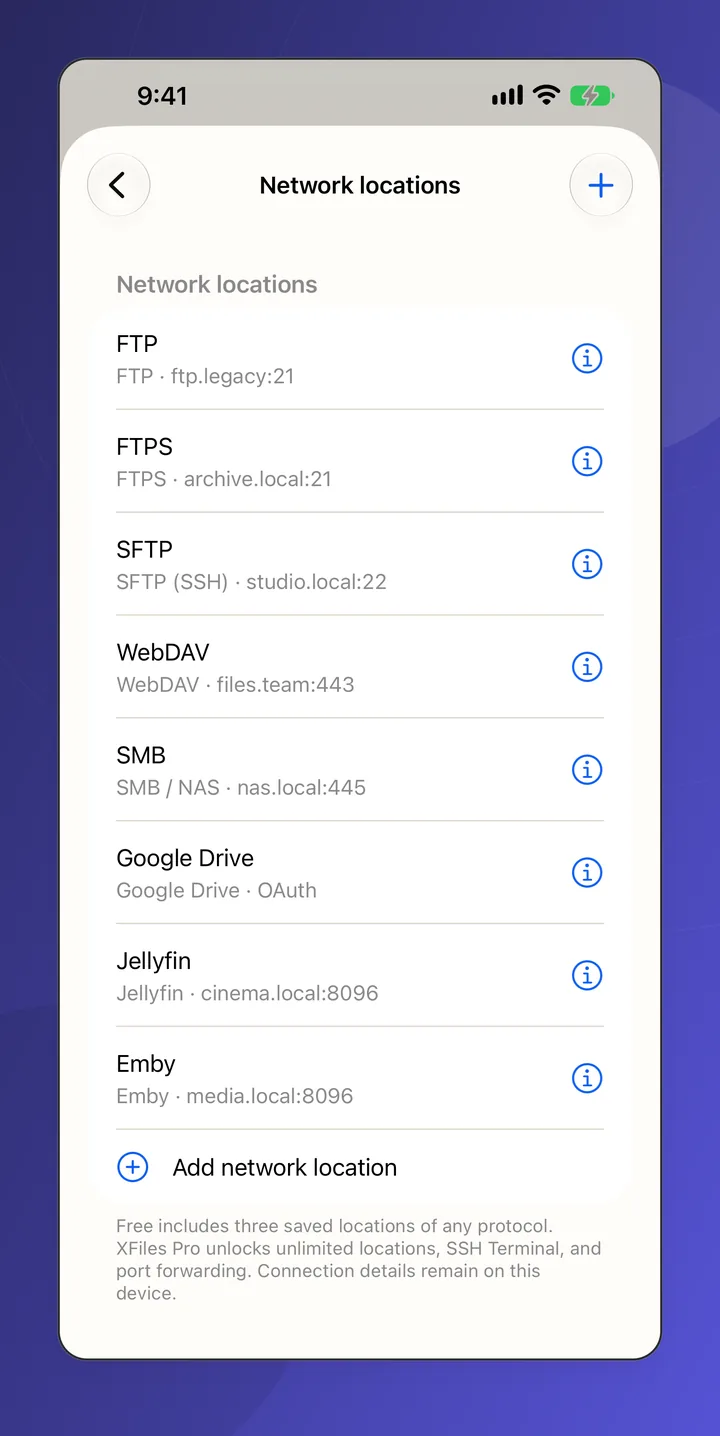
Tap Add location at the bottom of the tree, pick SMB, SFTP or WebDAV, and enter the NAS's address and your login. The share opens as a folder in the tree.
- Synology, QNAP, TrueNAS, Unraid and Windows shares all work over SMB
- FTP, FTPS, Nextcloud, S3, Google Drive, Dropbox, OneDrive, Jellyfin and Emby too
- Logins stay on your device; XFiles connects straight to the NAS
Two panes
Copy across, with speed and time left
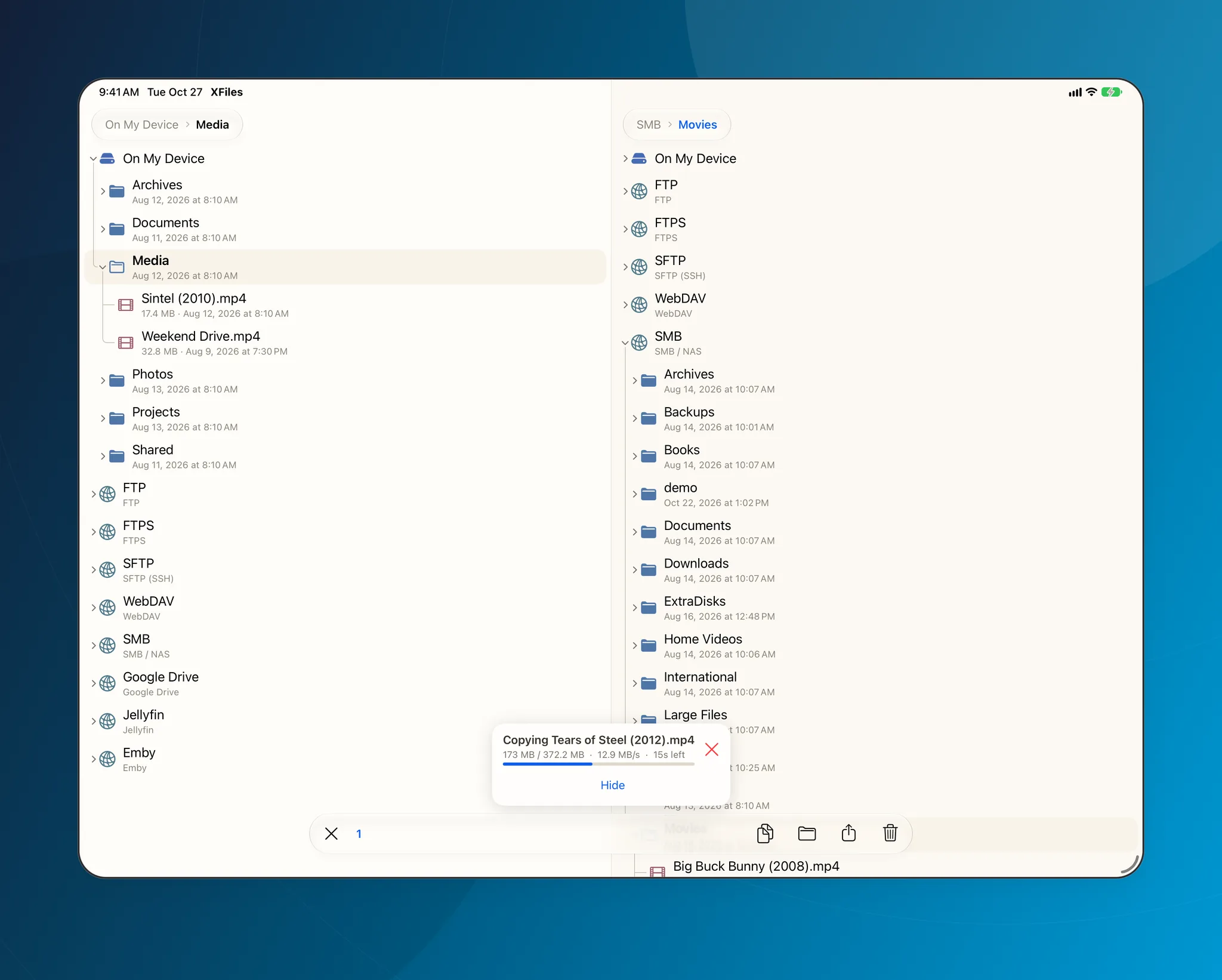
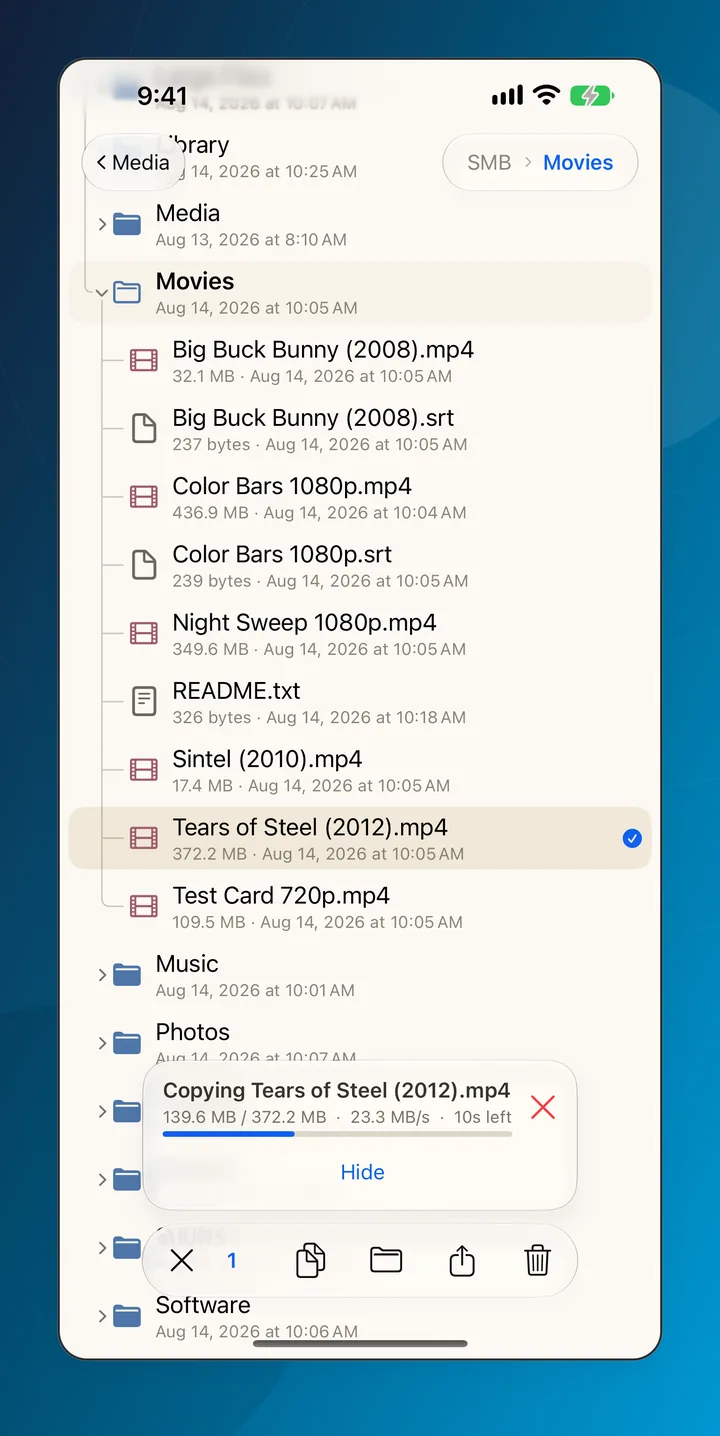
Put your phone in one pane and the NAS in the other. Copies and moves show live speed and time left, with Skip, Overwrite or Keep both when names clash, and a Recycle Bin to undo a delete.
Files app
Save to the NAS from any app
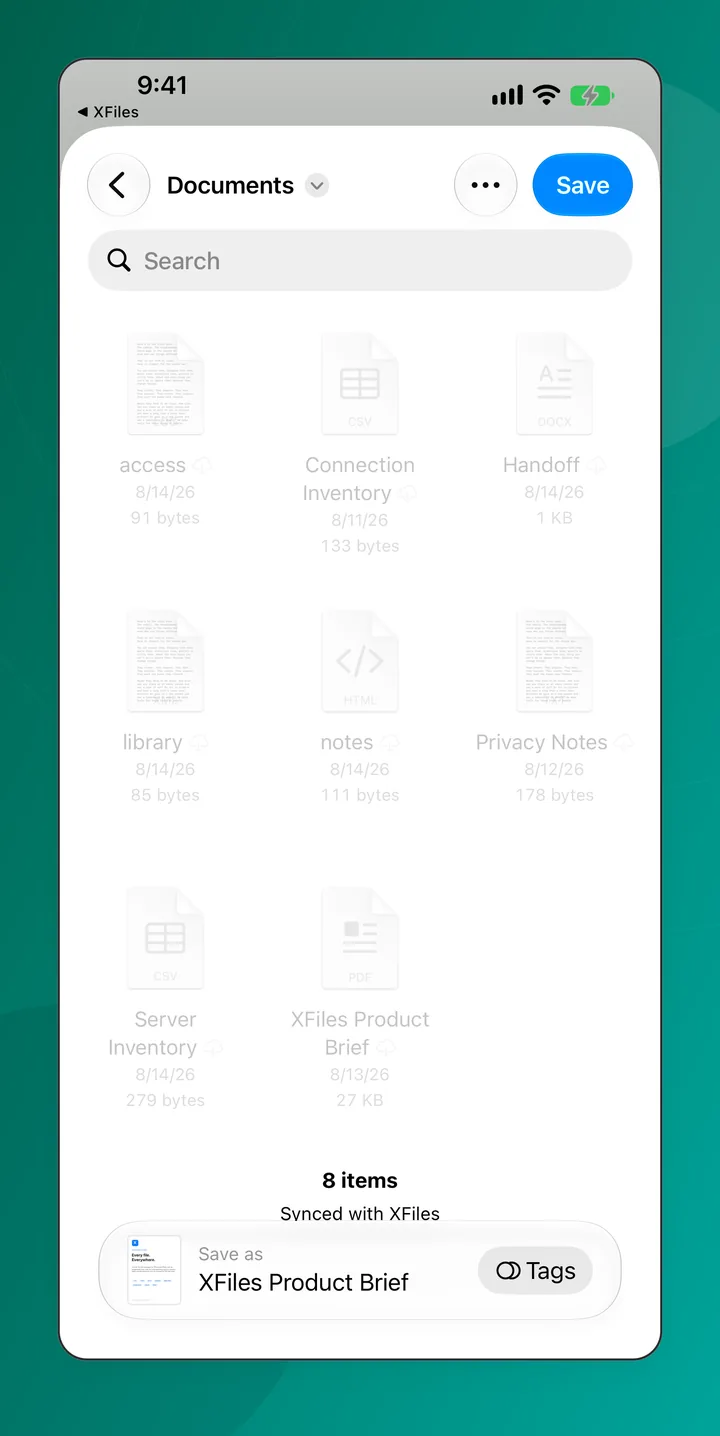
XFiles is a location in the Files app. Choose it when you save to Files, and a page from Safari, an attachment from Mail or a note lands straight on your NAS.
Home and away
At home and away
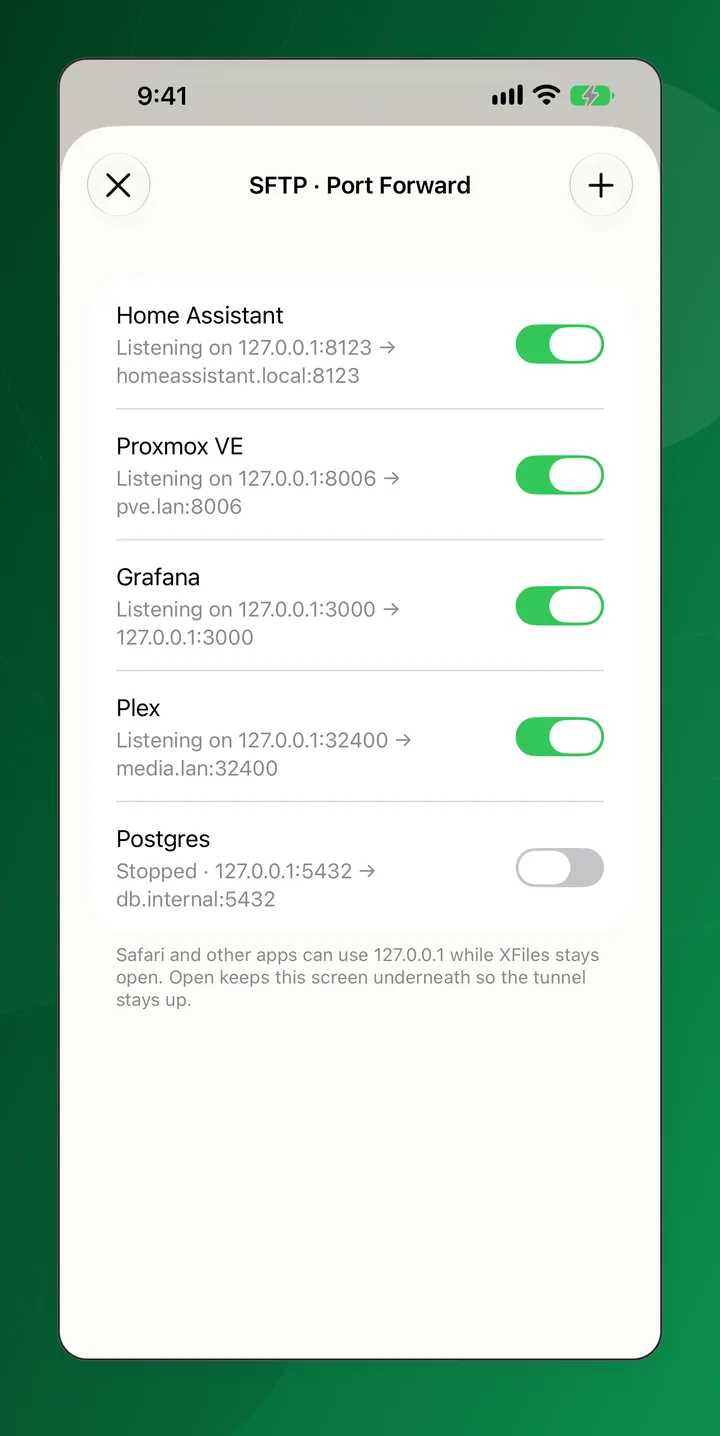
A location can keep a home address and an outside address, and XFiles uses the one that fits where you are: your home network, a VPN such as Tailscale or WireGuard, or a public address. With XFiles Pro, an SFTP login can also forward Home Assistant, Proxmox or Grafana to 127.0.0.1.
Open files in place
Photos, videos, audio, PDF and text open straight from the share, and archives open like folders.
SSH terminal Pro
An SFTP location opens a full terminal on the same login, where vim, htop, tmux and Zellij work.
Private by design
No account, no ads and no analytics. Connection details stay on your device.
Questions
How do I connect my iPhone to an SMB share?
In XFiles, tap Add location at the bottom of the tree, choose SMB, and enter the NAS's or PC's address and your login. The share opens as a folder in the tree; put it in one pane and your phone in the other to copy across.
Which NAS work with XFiles?
Any NAS or computer that shares folders over SMB, SFTP, WebDAV or FTP, such as Synology, QNAP, TrueNAS, Unraid, a Raspberry Pi or a Windows PC.
Can I reach my NAS away from home?
Yes. XFiles connects to any address your phone can reach: your home network, a VPN such as Tailscale or WireGuard, or a public address. A location can keep a home address and an outside address and use whichever fits.
Is it free?
Yes, with three network locations of any kind. XFiles Pro, an in-app purchase, adds unlimited locations, the SSH terminal and the Claude Code and Codex apps; the App Store shows its prices in your country.
Is there an Android version?
Yes. XFiles Pro for Android is free on Google Play and opens the same SMB, SFTP, WebDAV, FTP and S3 locations, with two panes and the same tree.
Open your NAS on iPhone
Free on the App Store for iPhone and iPad with iOS 17 or later, and on Google Play for Android.