 XFiles
iPhone Duo · foldable iPhone
The dual-pane file manager for iPhone Duo
Unfold iPhone Duo and XFiles puts two folders side by side: your phone and your NAS, or two servers at once. Fold it and carry on from the cover screen. Either way, the buttons stand in the side strip, where iPhone Duo keeps its own bars.
Free on the App Store. No account, no ads, no tracking.
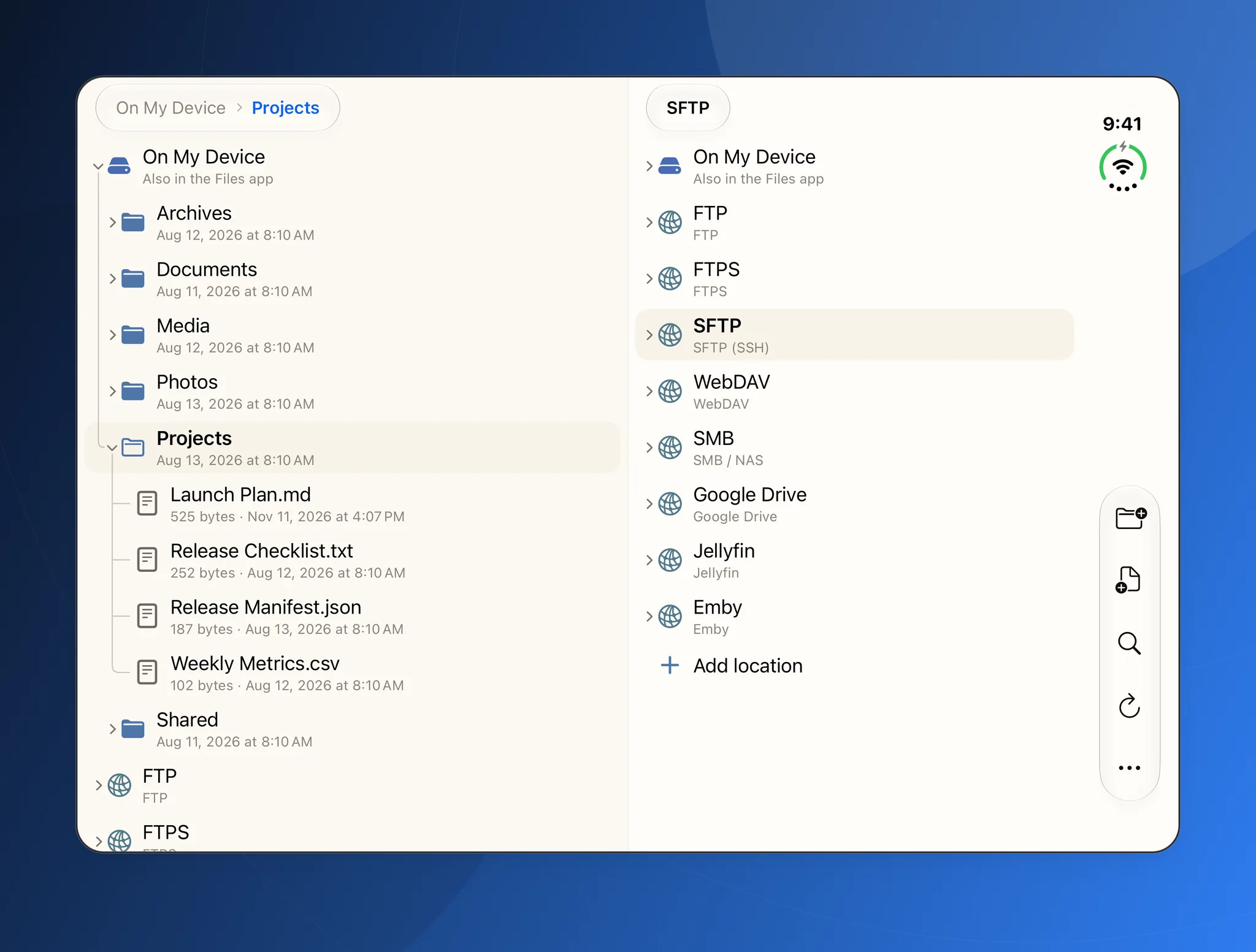
Inner screen
Two panes on the big screen
Unfolded, iPhone Duo is wide enough for two panes, the way an iPad is. Folders open in place as a tree, so you see where things are and where they will land, then copy or move across with live speed and time left.
- SFTP, FTP, SMB, WebDAV, S3, Google Drive, Dropbox, OneDrive and more, in one tree
- Skip, Overwrite or Keep both when names clash, and a Recycle Bin to undo
- ZIP, 7z, RAR and TAR archives open as folders
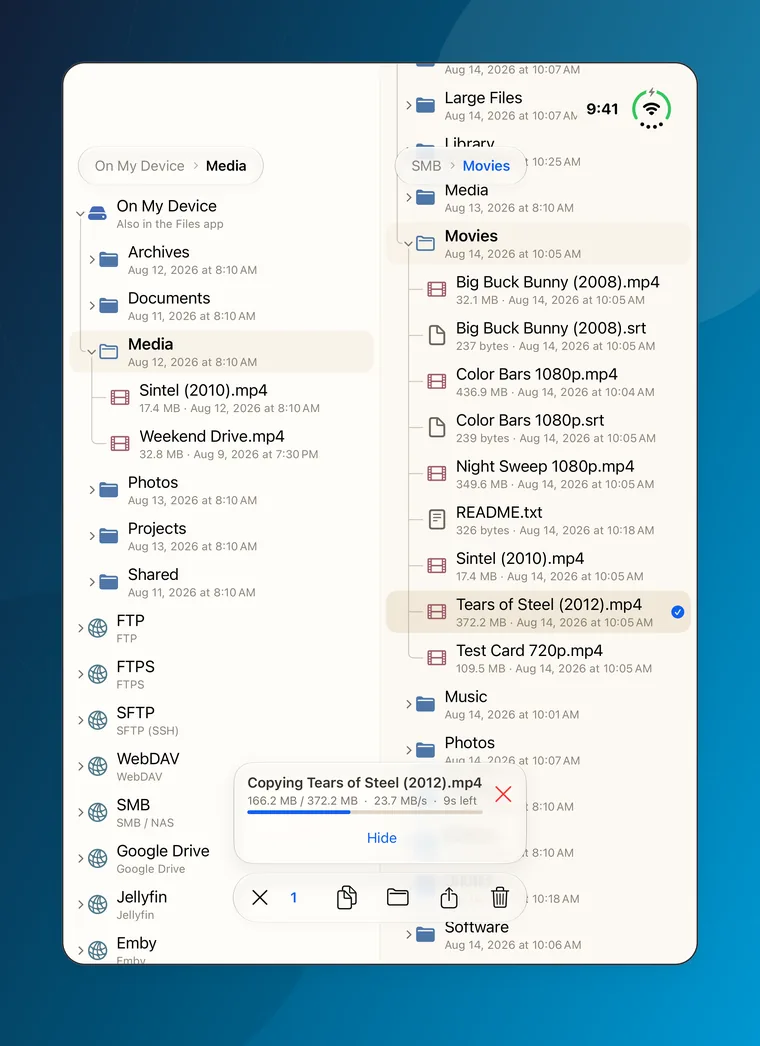
Side strip
The buttons stand in the side strip
On the cover screen, and on the inner screen in landscape, iPhone Duo runs its status bar down one side. XFiles stands its buttons in that strip, as the system's own bars and the Home Screen's Dock do, so your files get the rest of the screen.
- The toolbar and the selection toolbar stand at the bottom of the strip, under your thumb
- In the SSH terminal, Close, Reconnect, the key bar and Attach stand in a column and never cover a line
- Photos and videos keep Close at the top of the strip
- Turn the inner screen to portrait and the bars go back to the bottom, as in iPhone Duo's own apps
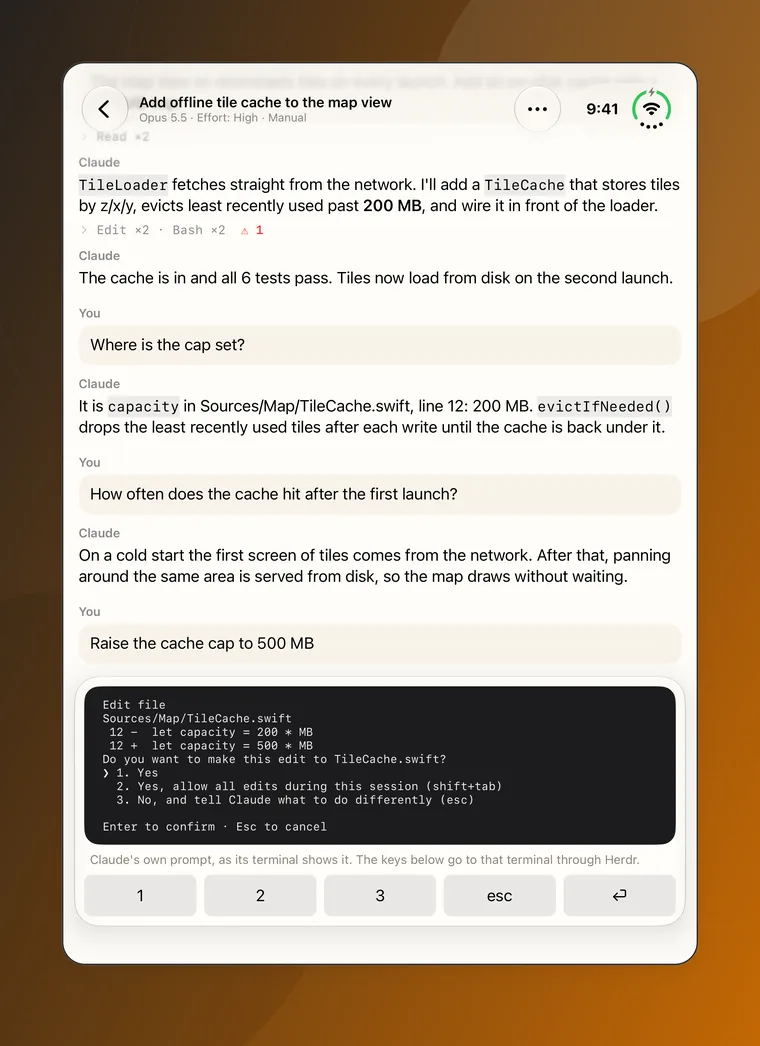
Claude Code & Codex Pro
Claude Code and Codex on iPhone Duo
The inner screen gives a Claude Code or Codex session the room of an iPad: the whole conversation, every tool run and the agent's own prompts with their answer keys. XFiles talks to the real CLI running in Herdr on your server, with nothing added in between.
Terminal Pro
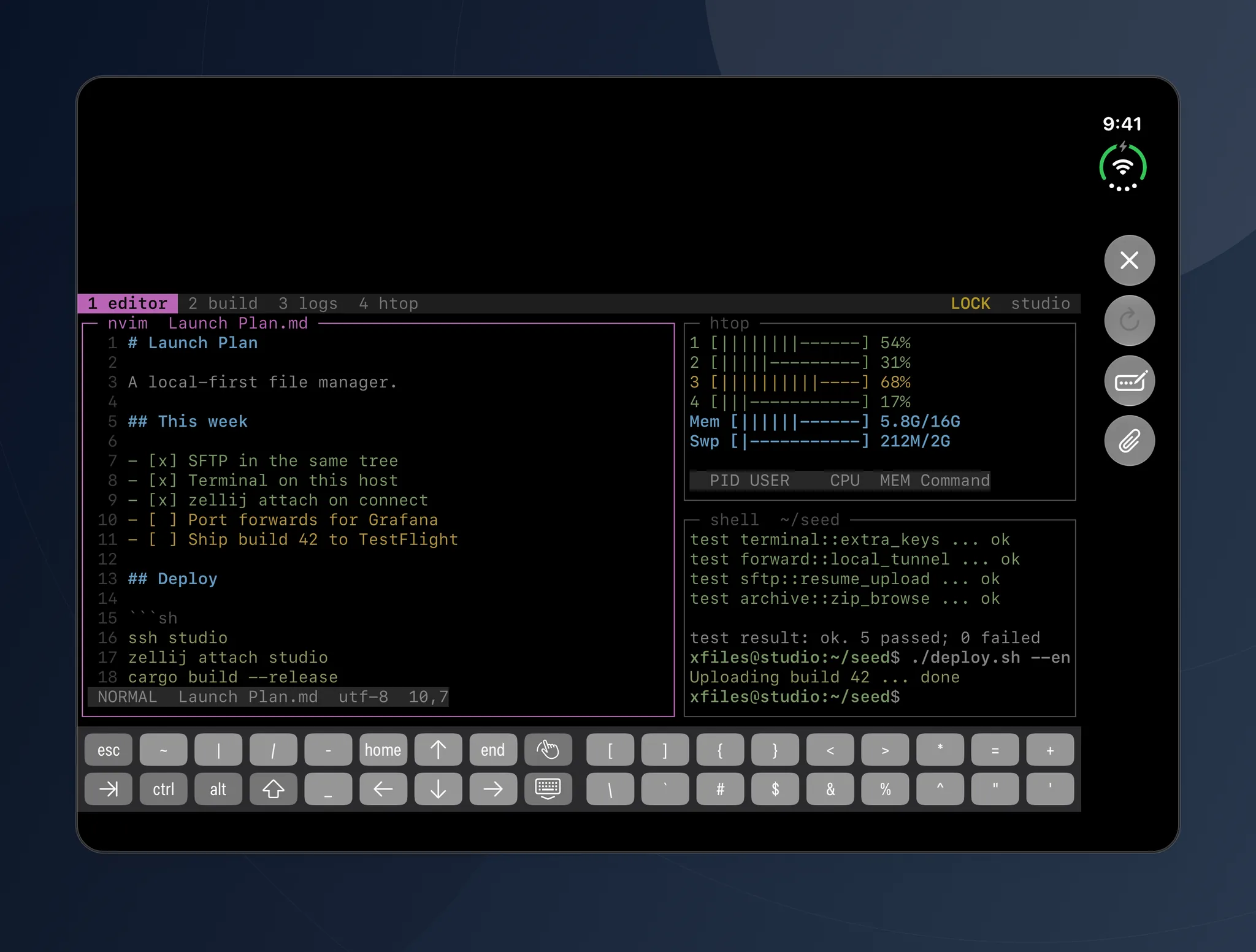
An SSH terminal with room for split panes
Unfolded, the terminal has room for vim beside htop in tmux or Zellij, with esc, ctrl, alt and the arrows on the key bar above the keyboard. Every SFTP location opens a terminal on the same login.
Half open
Stand iPhone Duo half open and XFiles keeps the rows off the fold, so nothing you need sits in the crease.
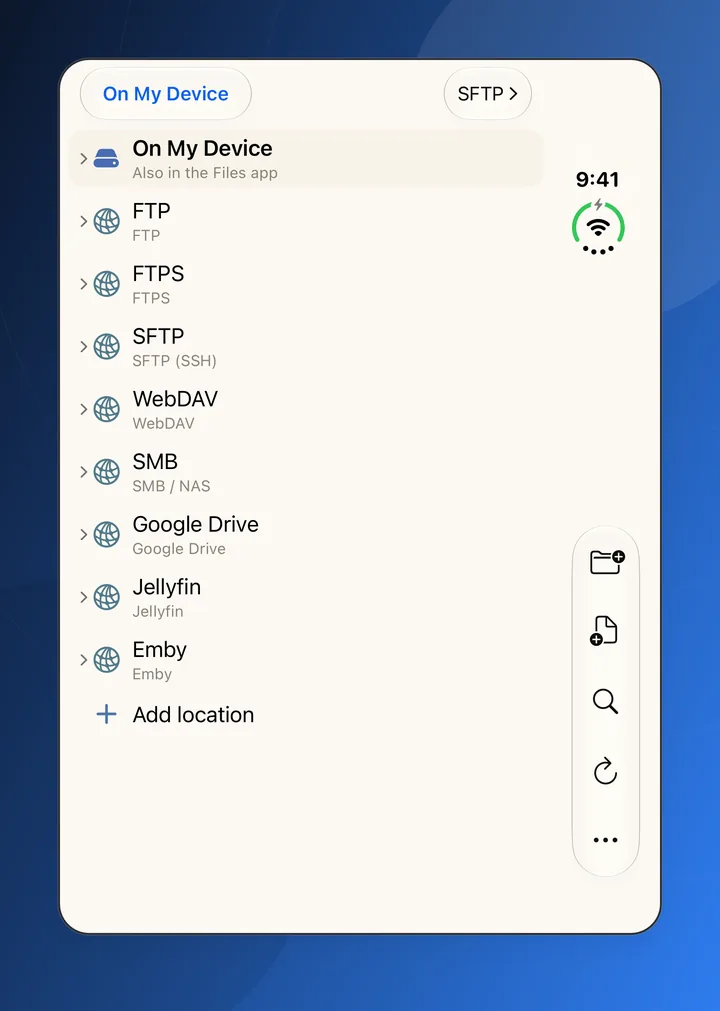
On the cover screen
Folded, iPhone Duo is a phone for one hand. XFiles shows one pane there, with the toolbar in the strip under your thumb.
One app, every screen
The same XFiles runs on iPhone Duo and on every iPhone and iPad with iOS 17 or later. Connection details stay on the device, and there is no account.
Questions
Does XFiles support iPhone Duo?
Yes. XFiles lays out the cover screen, the inner screen in portrait and landscape, and the half-open position, and puts its buttons in the side strip where iPhone Duo keeps its own bars.
Is XFiles free on iPhone Duo?
XFiles is free to download, with three network locations of any kind. XFiles Pro, an in-app purchase, adds unlimited locations, the SSH terminal and the Claude Code and Codex apps. The App Store page shows the plans in your country.
Which servers and clouds can I open on iPhone Duo?
FTP, FTPS, SFTP, WebDAV, Nextcloud, SMB shares on a NAS or PC, S3-compatible storage, HTTP directory indexes, Google Drive, Dropbox, OneDrive, Jellyfin and Emby.
Can I run Claude Code on iPhone Duo?
Claude Code and Codex run on your own server, in Herdr, and XFiles Pro opens them on iPhone Duo as apps over SSH. Your code stays on the server and never passes through XFiles. How to set it up.
Get XFiles for iPhone Duo
Free on the App Store, for iPhone Duo and every iPhone and iPad with iOS 17 or later. On Android? XFiles is there too.