 XFiles
Dual-pane file manager · iPhone · iPad
The X-plore way of working, on iPhone and iPad
X-plore File Manager is an Android app. If you miss its two panes and its tree on iOS, XFiles works the same way: folders open in place, archives open like folders, and your NAS and servers sit in the same tree as your phone.
XFiles is an independent app. It is not made by, or affiliated with, the developer of X-plore.
Two panes
Two panes, side by side or stacked
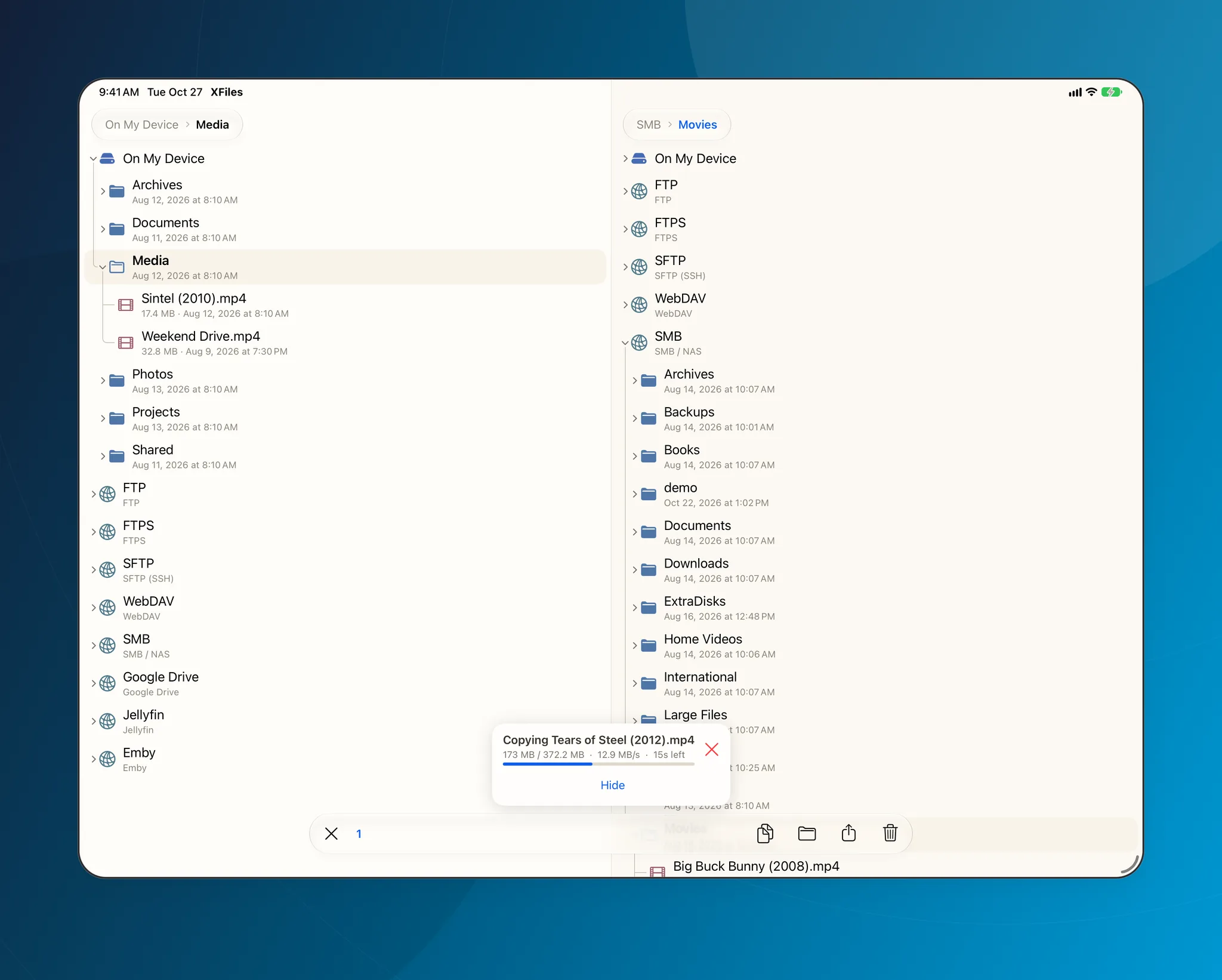
On iPad, on an unfolded iPhone Duo and in landscape, the panes stand side by side; on iPhone they stack, one above the other. Each pane keeps its own place, and copy or move goes from one to the other.
- Copy, move, rename, compress and delete, with a Recycle Bin to undo
- Skip, Overwrite or Keep both when names clash
- Copies show live speed and time left
Tree
Folders open in place
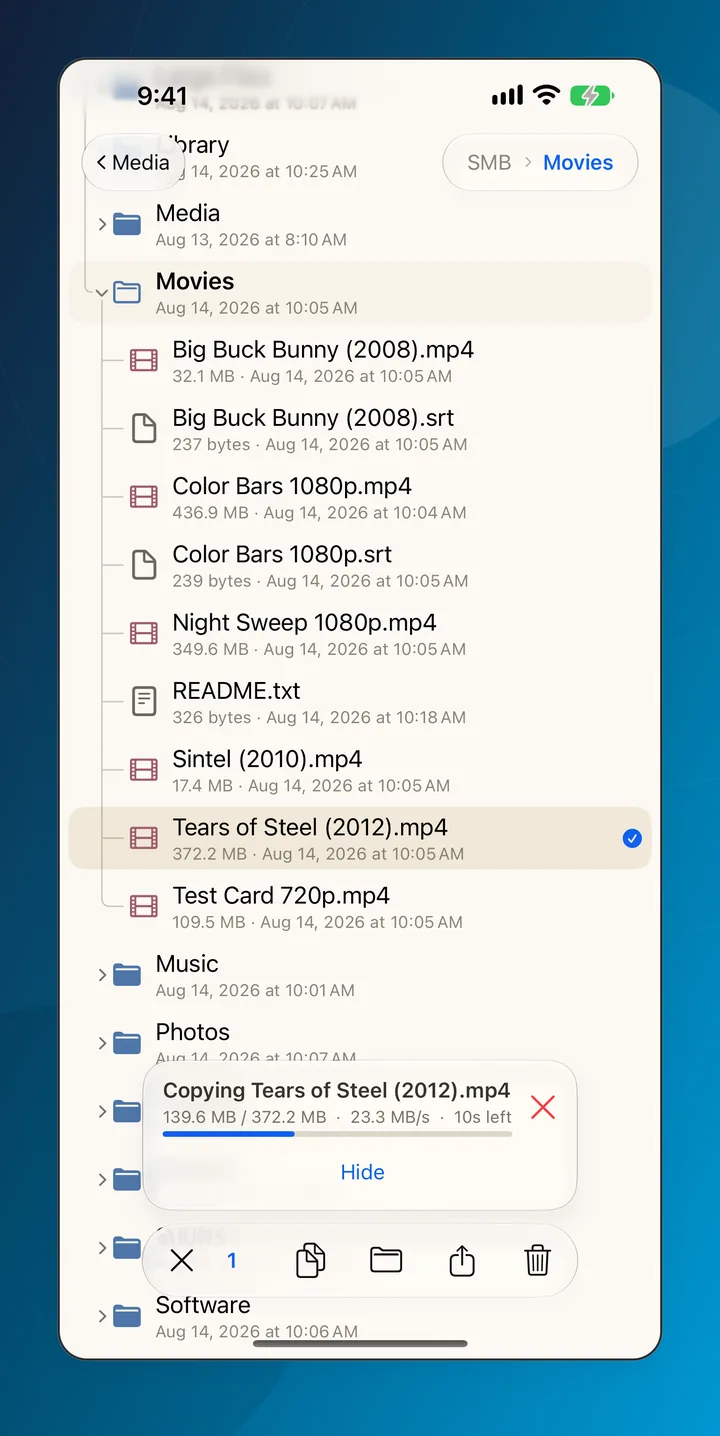
Tap a folder and it opens right there in the tree, with guide lines down to where you are, instead of replacing the whole screen. You always see where a file is and where it will land.
Archives
Archives open like folders
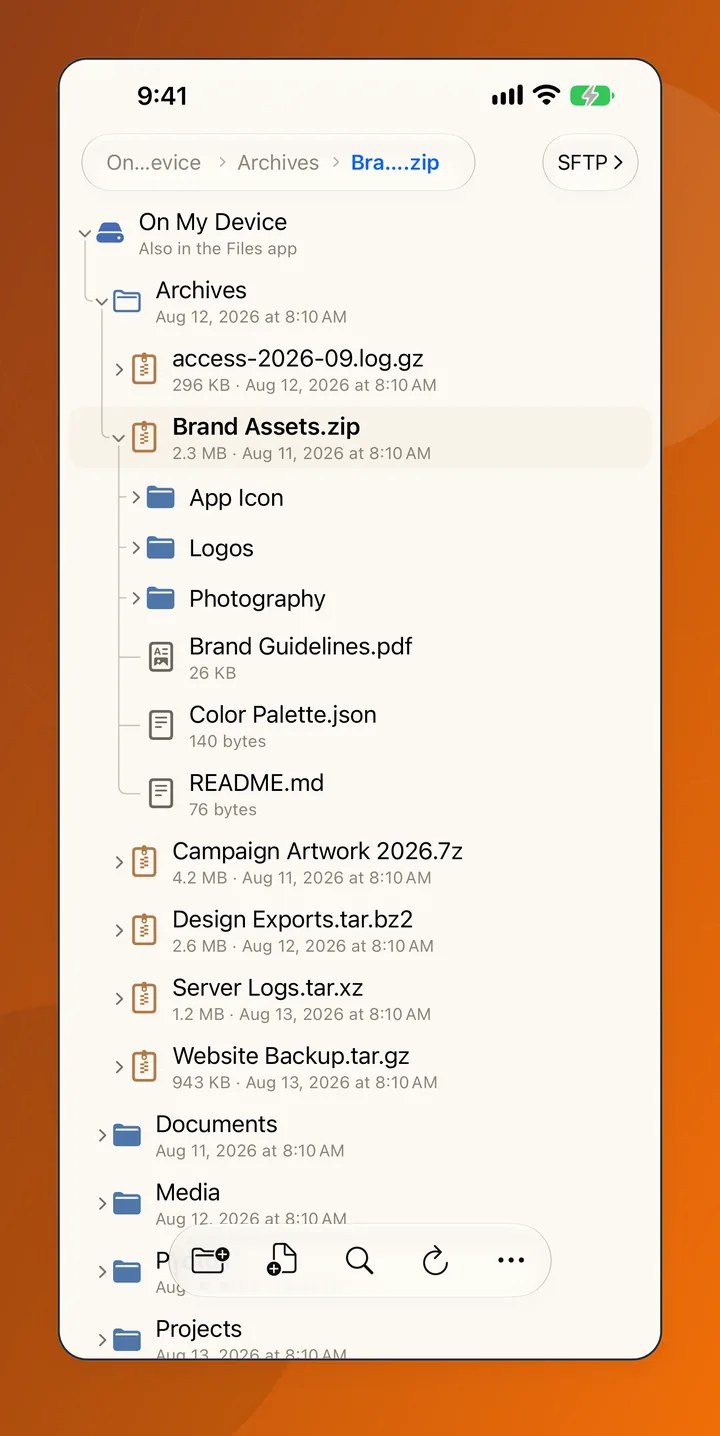
Walk into ZIP, 7z, RAR, TAR, GZ, BZ2 and XZ archives as if they were folders, and copy out only the files you need.
Network
Your NAS and servers in the same tree
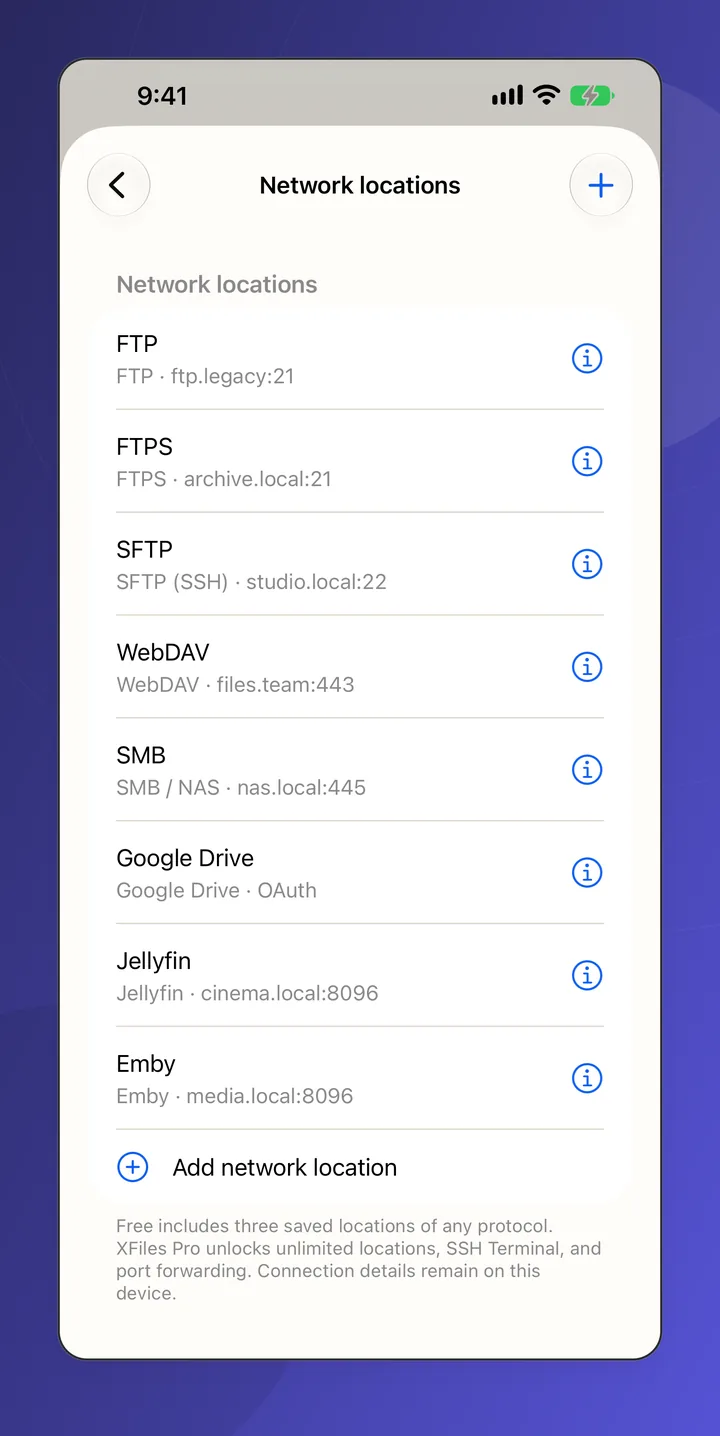
Add SMB shares, SFTP and FTP servers, WebDAV and Nextcloud, S3 storage, Google Drive, Dropbox, OneDrive, Jellyfin and Emby. Each one is a folder in the tree, so a copy from your NAS to your phone is a copy from one pane to the other.
What is different on iOS
No root and no app manager on iPhone
iOS keeps each app's files to itself, so no app can browse the system or other apps' data. The Android editions of XFiles have an app manager and optional root browsing.
Part of the Files app
XFiles is a location in the Files app, so other apps can save straight into it, or into a network location you added to it, such as an SMB share.
On Android too
XFiles Pro is free on Google Play with every network protocol. The offline edition is free, open source and has no network permission at all.
Questions
Is there an X-plore for iPhone?
X-plore File Manager is made for Android. XFiles brings the same way of working to iPhone and iPad: two panes, folders that open in place as a tree, archives you walk into, and network locations next to local files.
Is XFiles made by the developer of X-plore?
No. XFiles is an independent app by Local1st. It shares no code or assets with X-plore and is not affiliated with its developer.
Is XFiles free?
XFiles is free to download, with three network locations of any kind. XFiles Pro, an in-app purchase, adds unlimited locations, the SSH terminal and the Claude Code and Codex apps; the App Store shows its prices in your country.
Does XFiles work on Android?
Yes. XFiles Pro is free on Google Play with every network protocol, and the offline edition is free, open source and has no network permission. Both have two panes, the tree, archives as folders, an app manager and optional root browsing.
Get XFiles
Free on the App Store for iPhone and iPad with iOS 17 or later, and on Google Play for Android.